|
|
|
|
|
|
| The following images
will guide you through setting up your Outlook Express email client
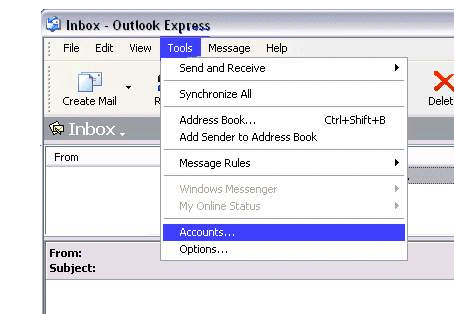
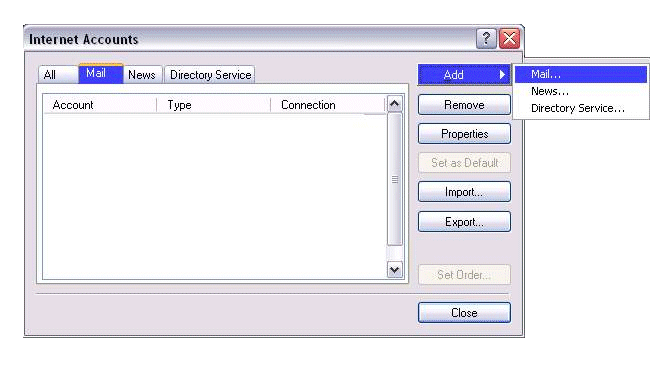
for your account. Open Outlook Express Click the tabs as shown |
||
|
||
|
|
||
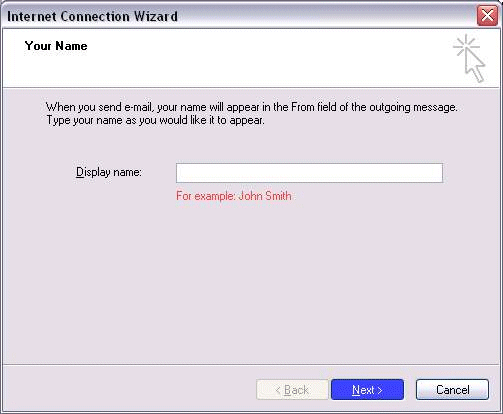
| Fill in the appropriate information: | ||
|
||
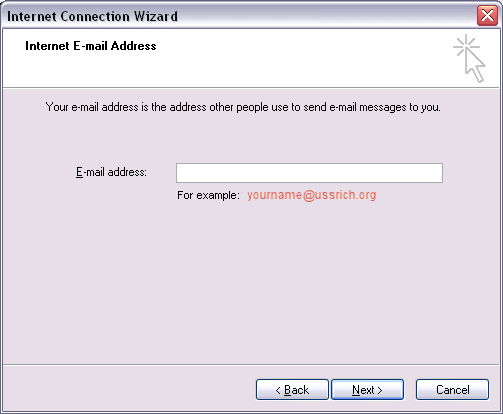
| Enter your complete email address: | ||
|
|
||
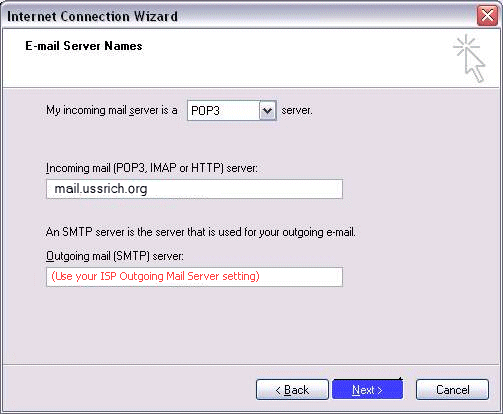
| Enter your domain information | ||
|
|
||
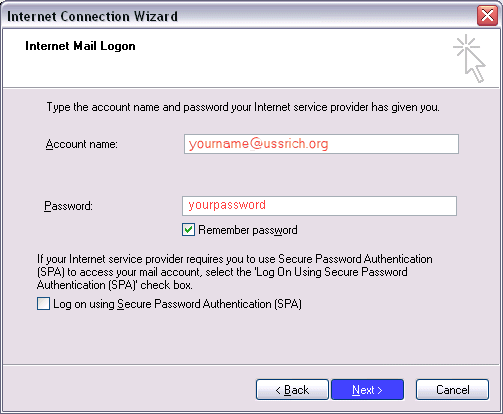
| Enter your logon information using your complete email address | ||
|
|
||
|
|
||
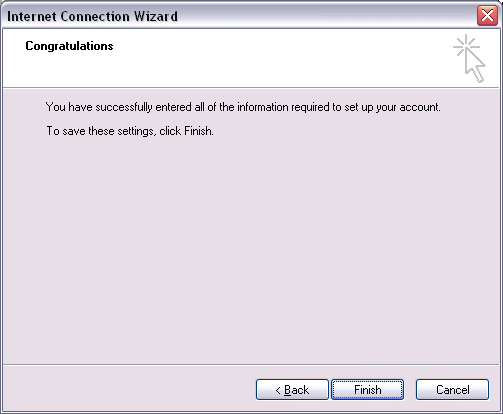
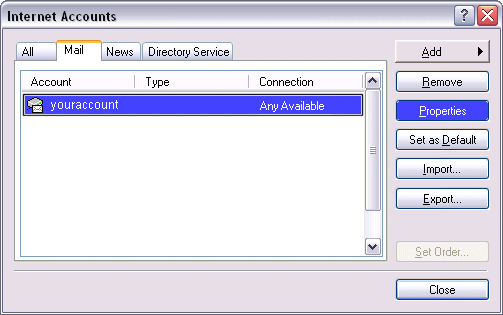
| Click on Finish and you'll return to the next screen. | ||
|
|
||
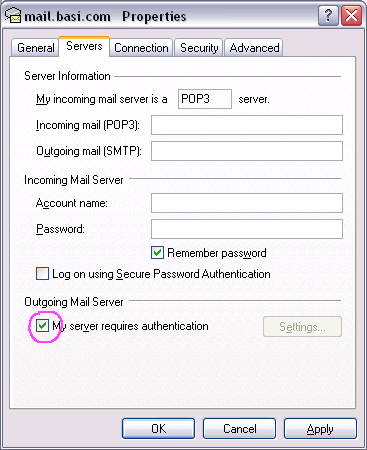
| Click the Properties> Servers tab and make sure the "My server requires authentication" box is checked. | ||
|
|
||
| Click OK. Click OK all the way back and you're ready to begin using your email!
|
 |